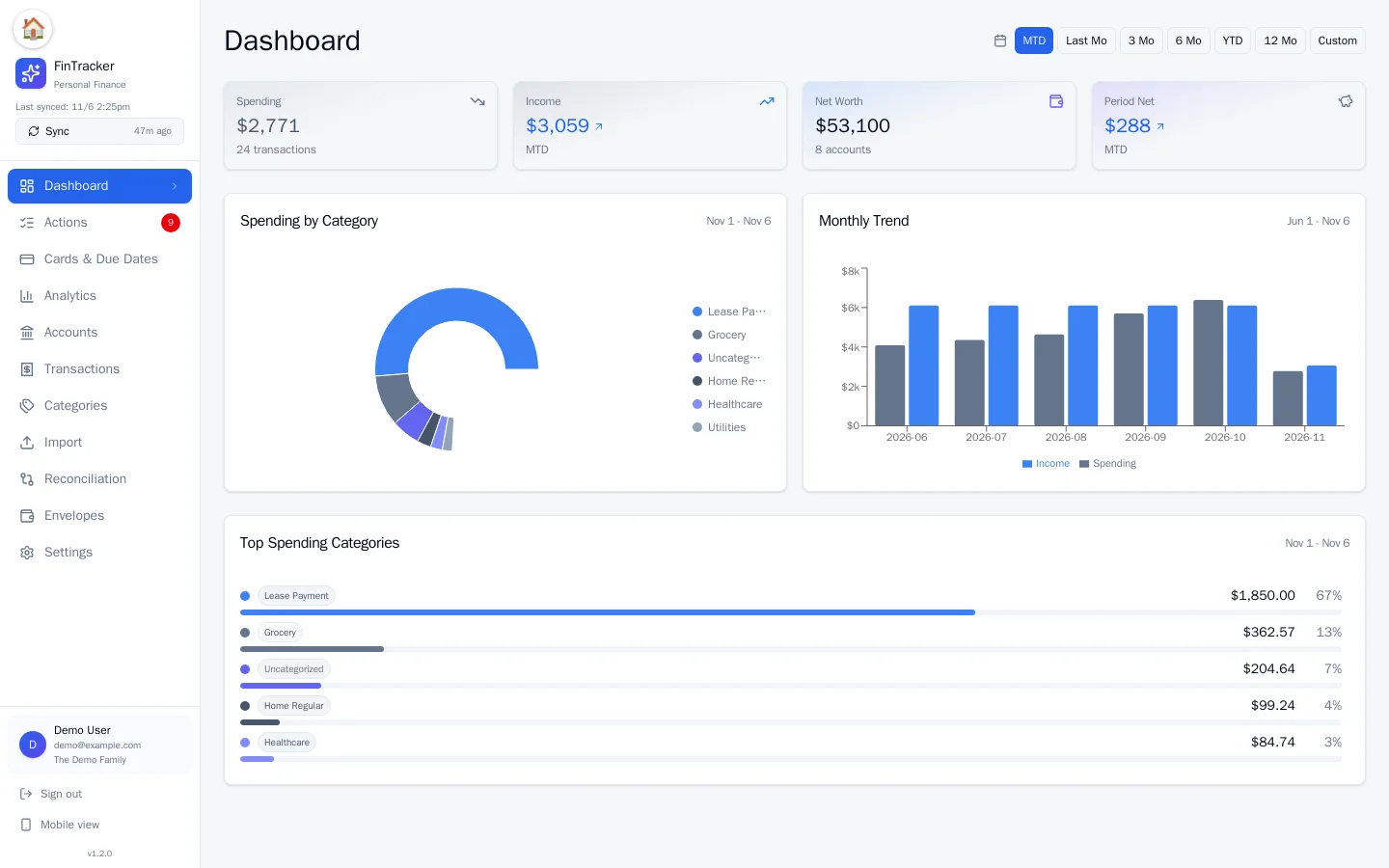
See where you stand in a glance
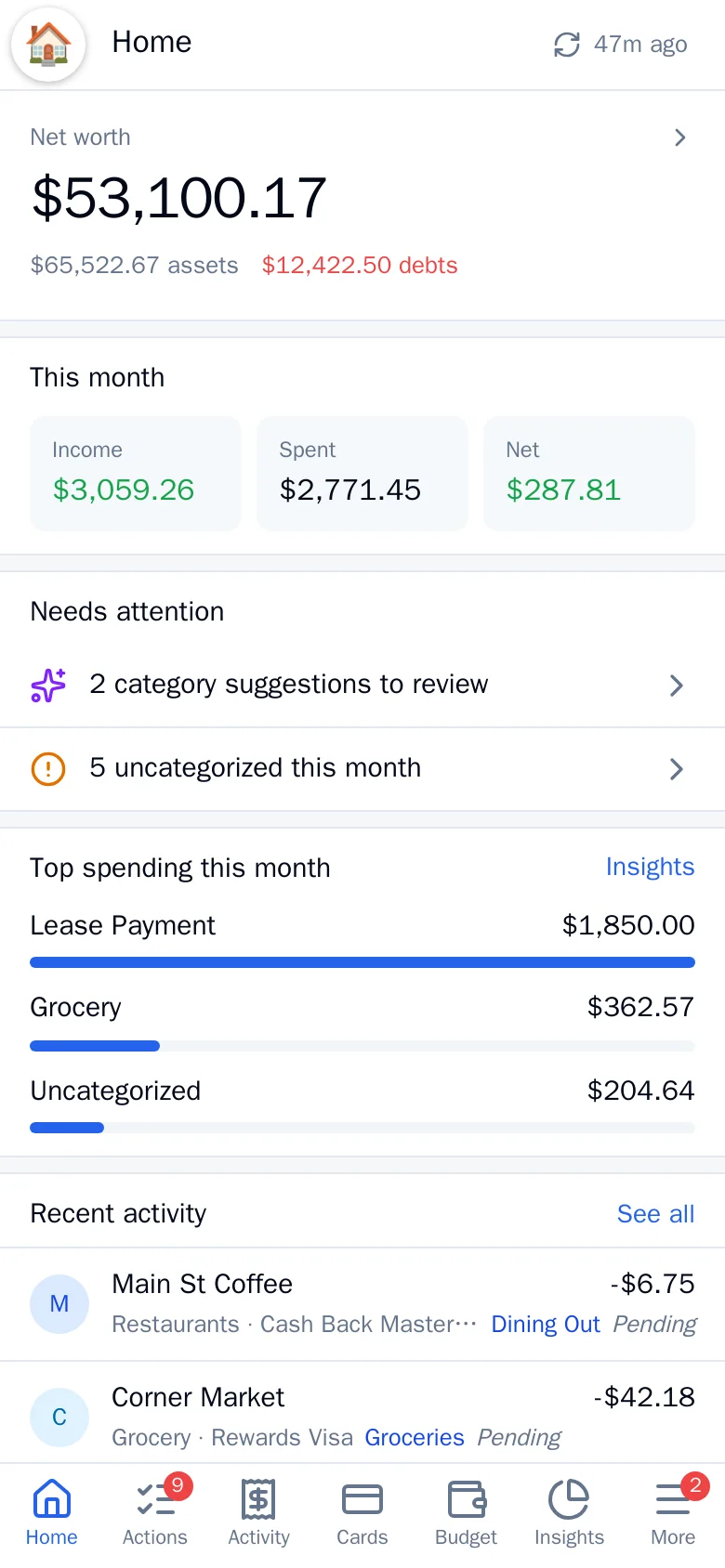
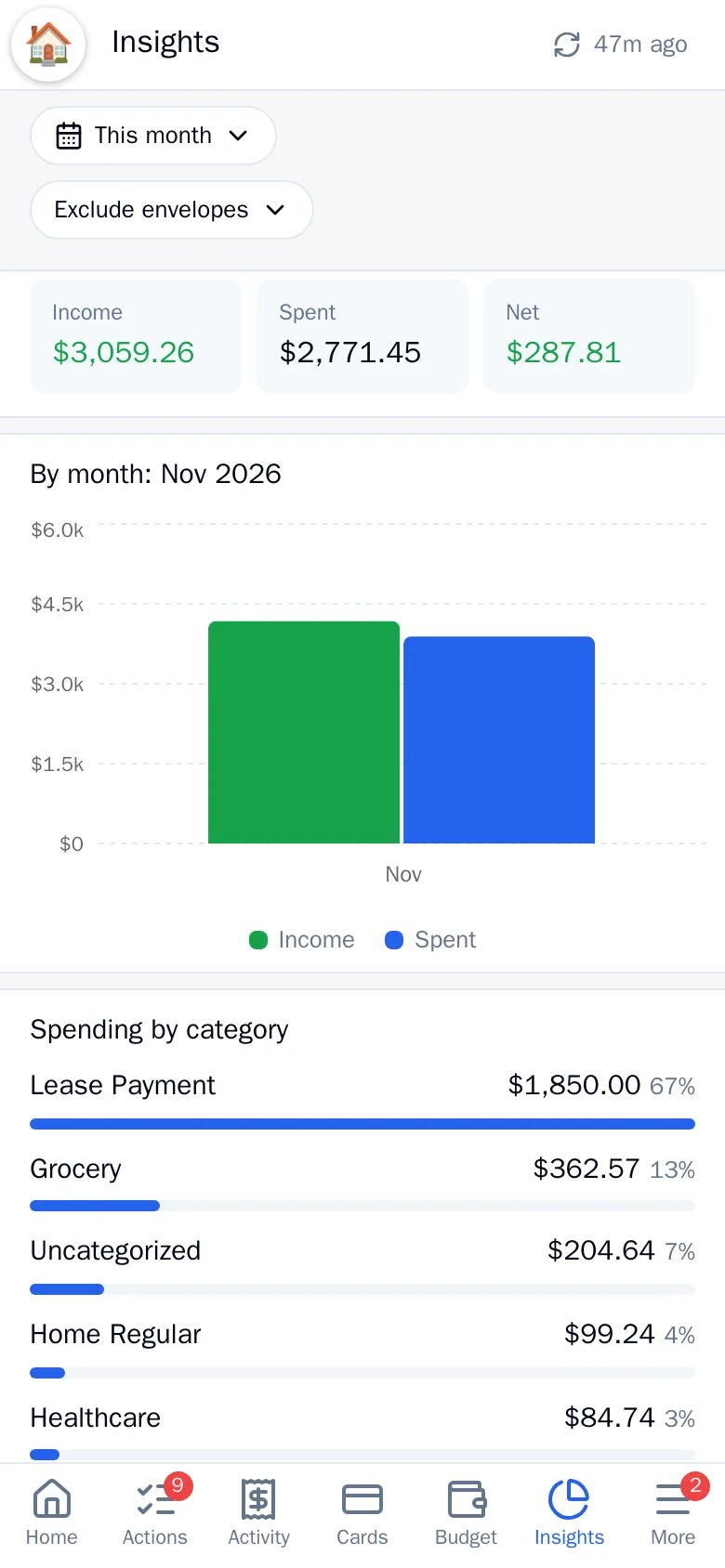
Net worth, this month’s income and spending, a category breakdown and a monthly trend, with one-tap date ranges from this month to the last twelve.
- Click a category or month to drill into the matching transactions
- Same data on a phone-first layout, with a bottom tab bar
A to-do list your finances write for you
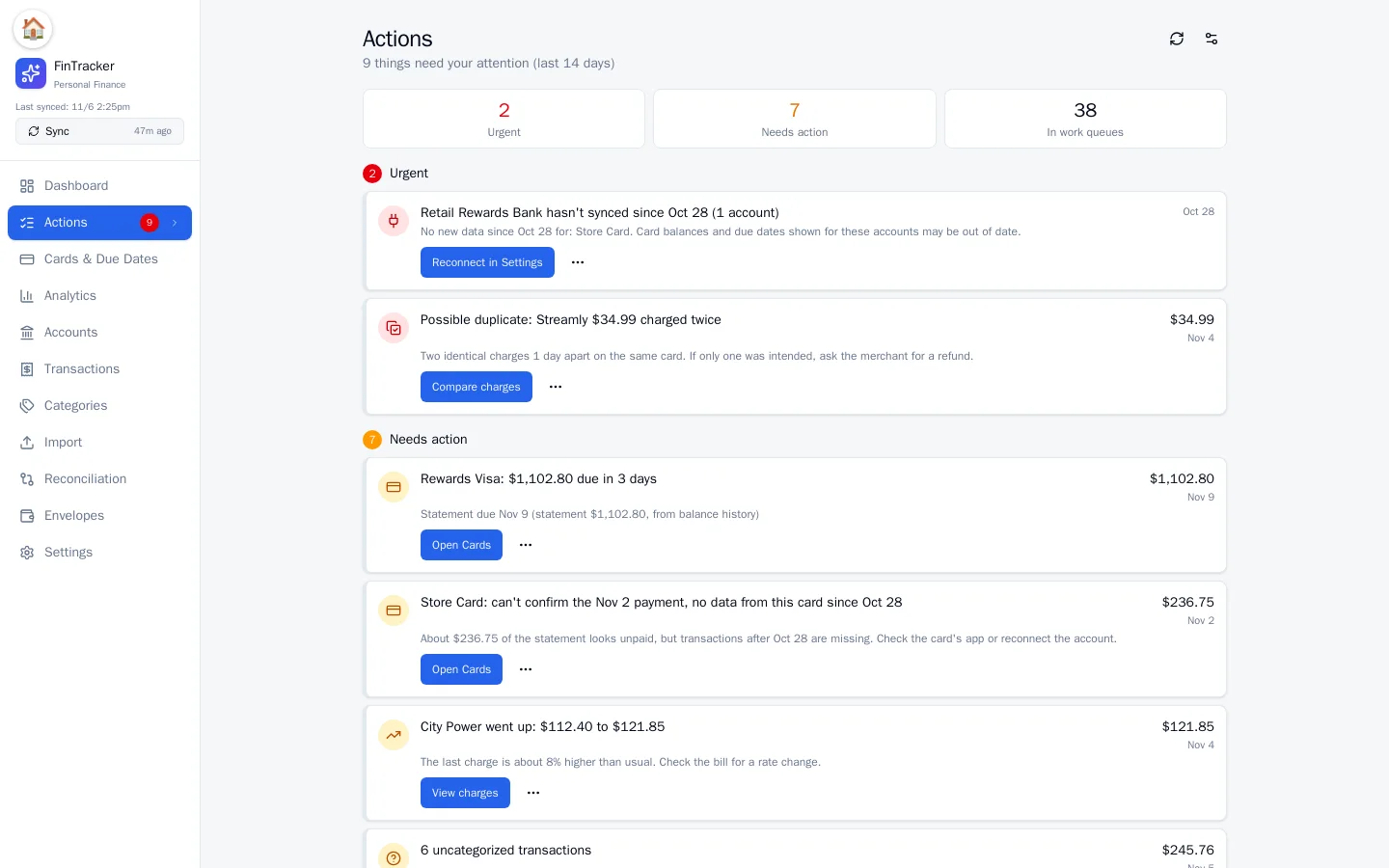
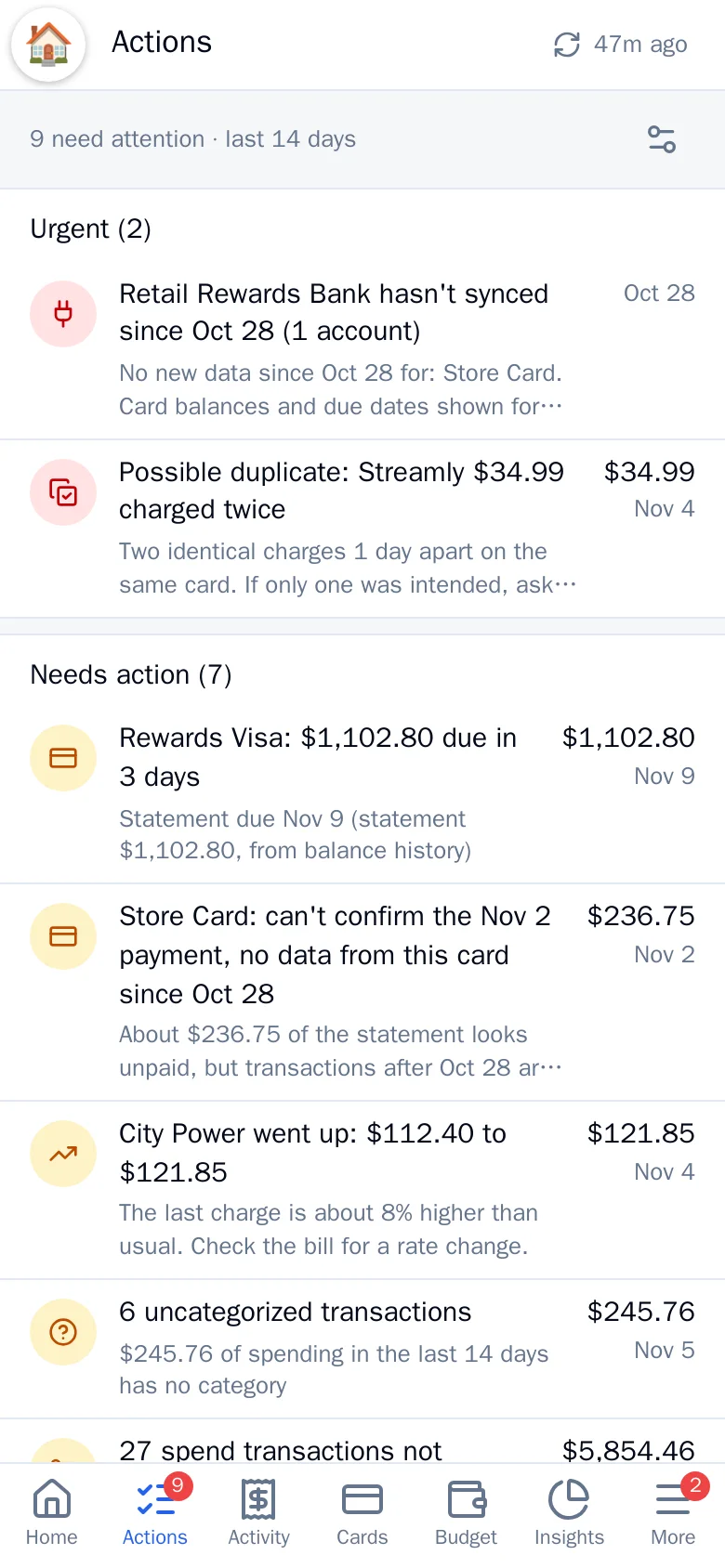
Payment due in three days. A bank connection that stopped syncing. The same subscription charged twice. A price that crept up. PersonalFin ranks what needs you, and lets you fix it on the spot.
- Urgent, needs action and FYI, each with a one-tap next step
- Work queues for uncategorized spending and unreconciled purchases
- Snooze or dismiss anything you have already handled
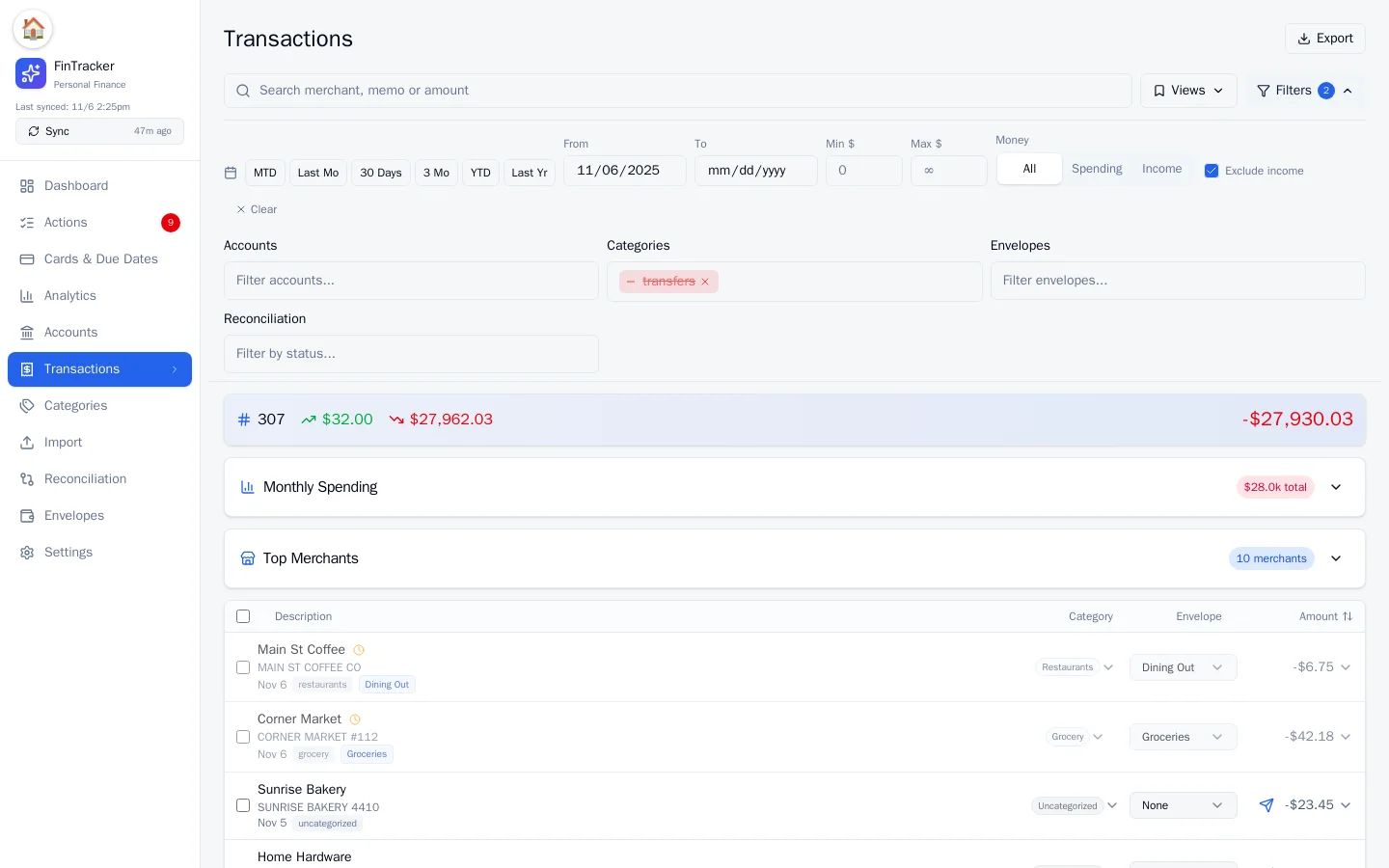
Search everything, categorize once
Filter by account, category, envelope, amount or reconciliation status, and save the views you use often. New merchants get a suggested category you can approve, which also writes a rule so it never asks again.
- New charges are categorized automatically and added to the right envelope; you just approve the suggestions
- Fast search across merchant, memo and amount
- Bulk edit, memos, and a rules page you control
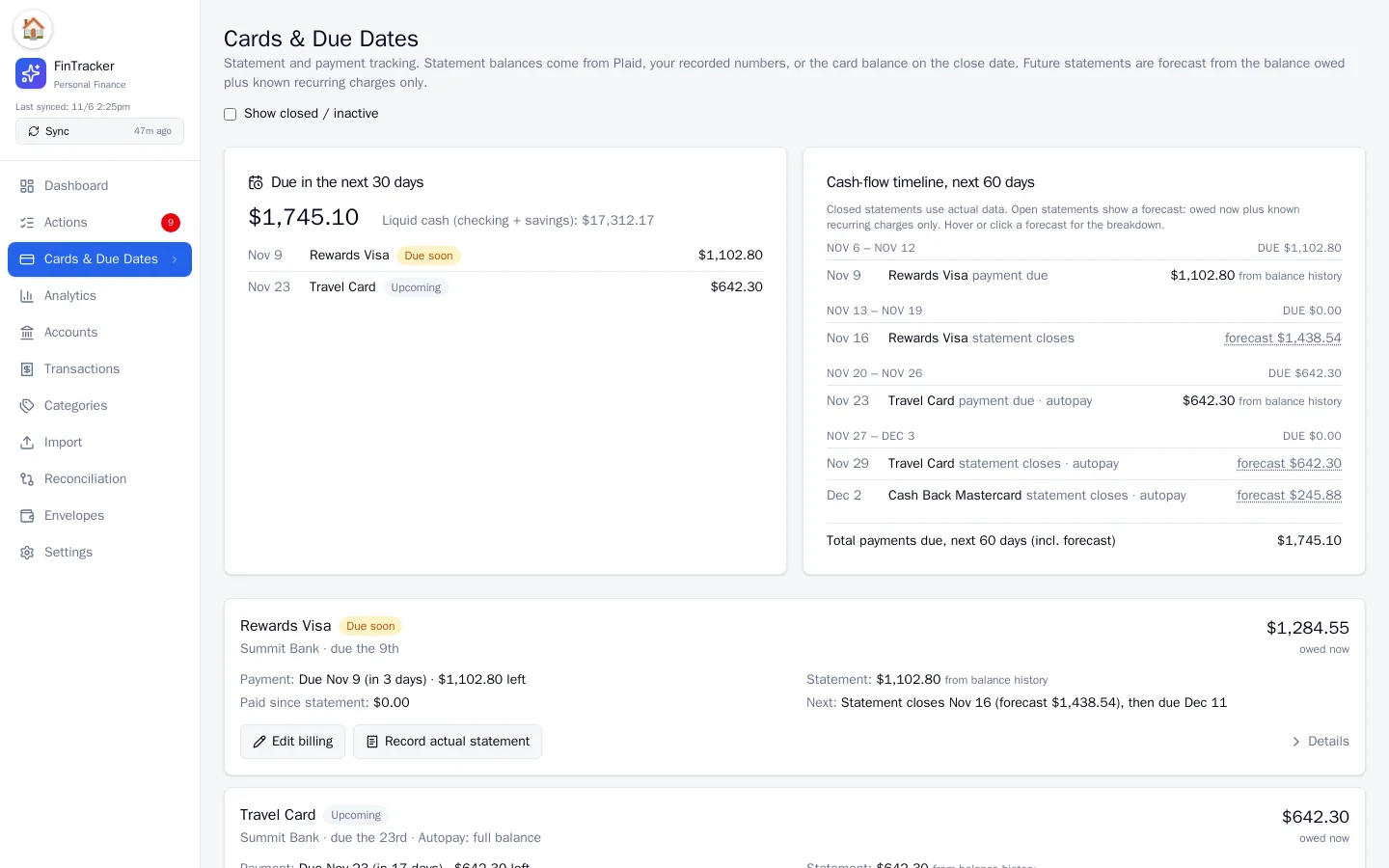
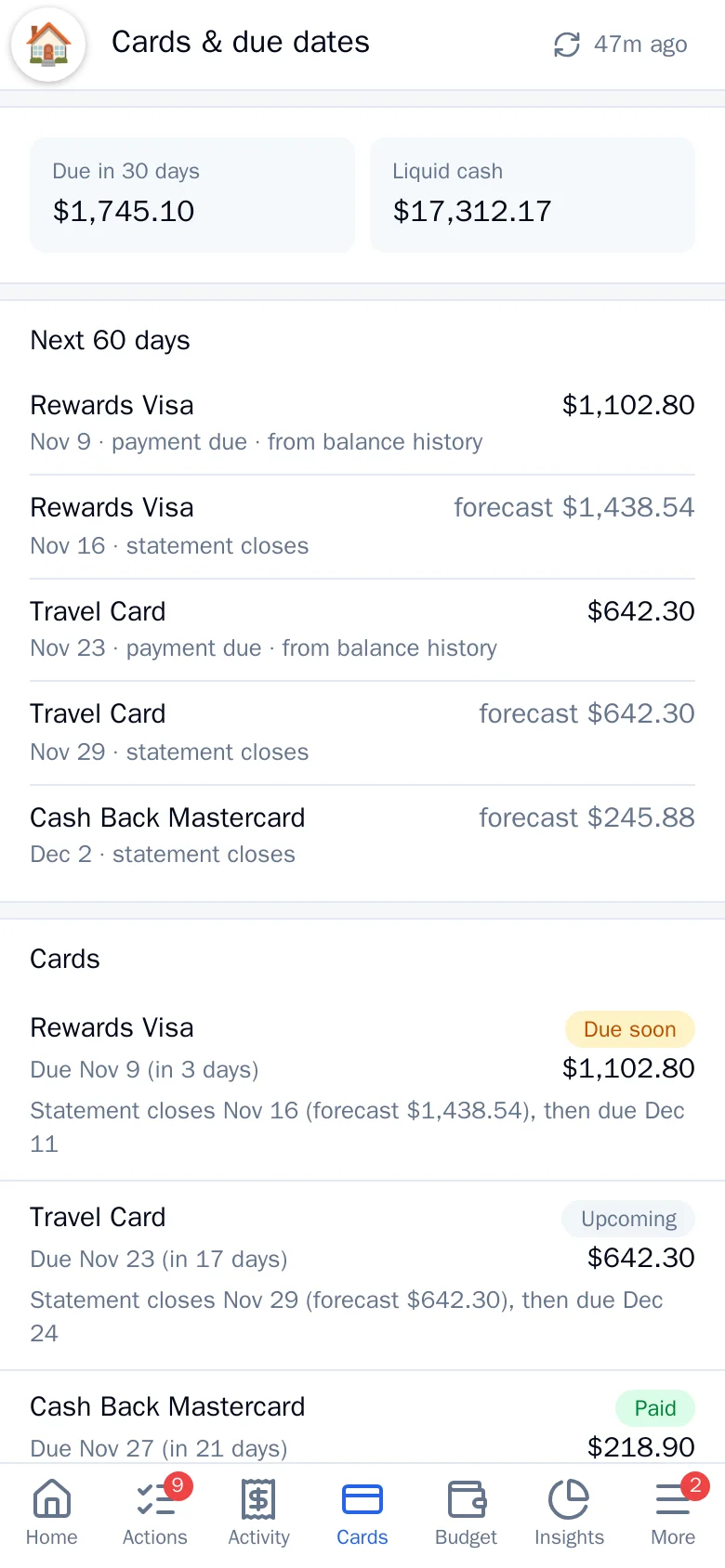
Never be surprised by a statement
Each card shows what is due, when, how much of the statement is already paid, and what the next statement will look like once known recurring charges land.
- Due soon, paid, autopay and “can’t confirm” states, so a card that stopped syncing is never silently assumed paid
- 60-day cash-flow timeline against your checking and savings
Follow the money, from paycheck to purchase
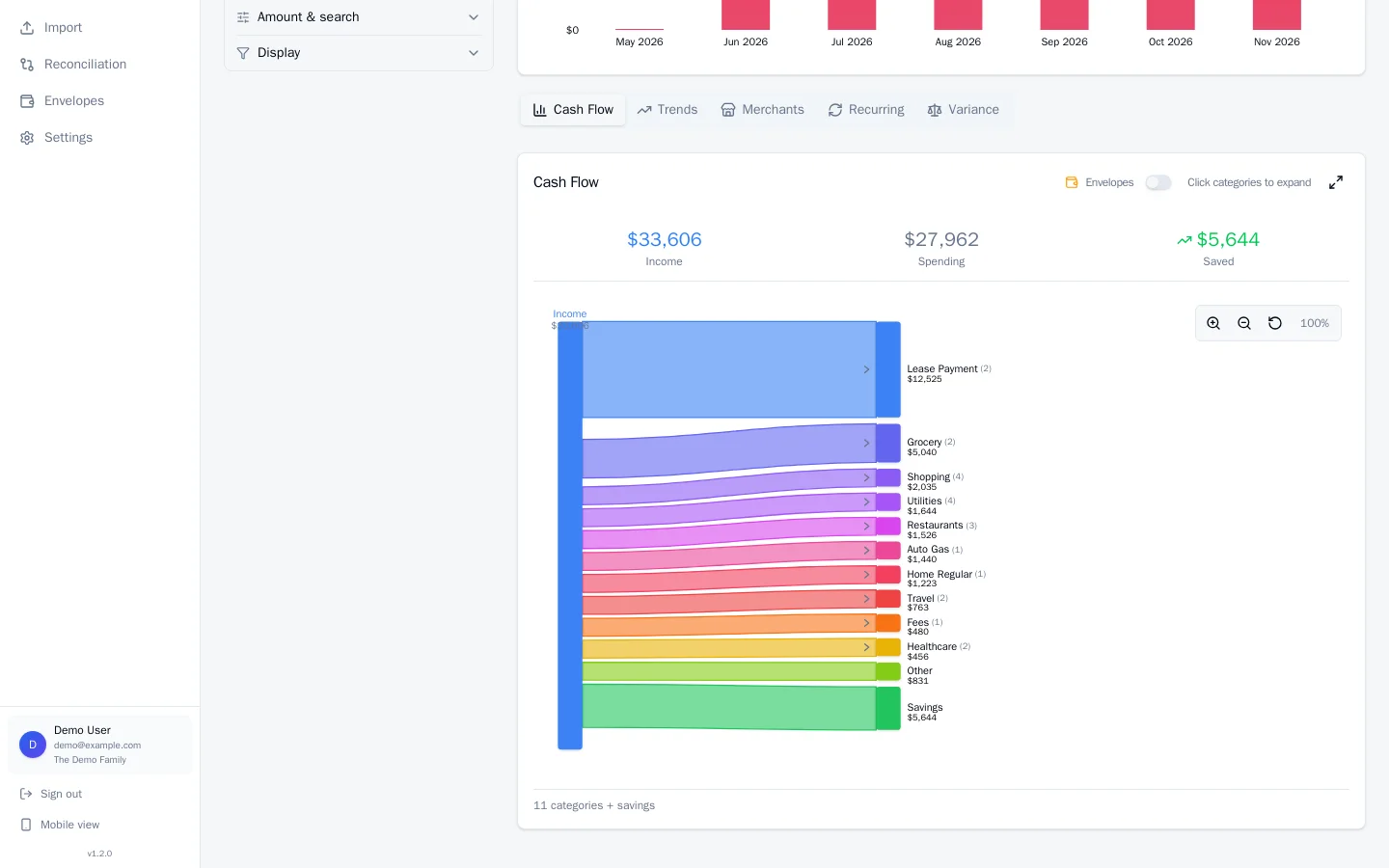
A cash-flow diagram traces income into categories and envelopes. Trend, merchant and recurring views show what is growing, which subscriptions repeat and when they renew, and where it all goes.
- Click a category in the flow diagram to see its merchants
- Recurring charges with monthly totals and upcoming renewals
- Every chart is filterable and clickable
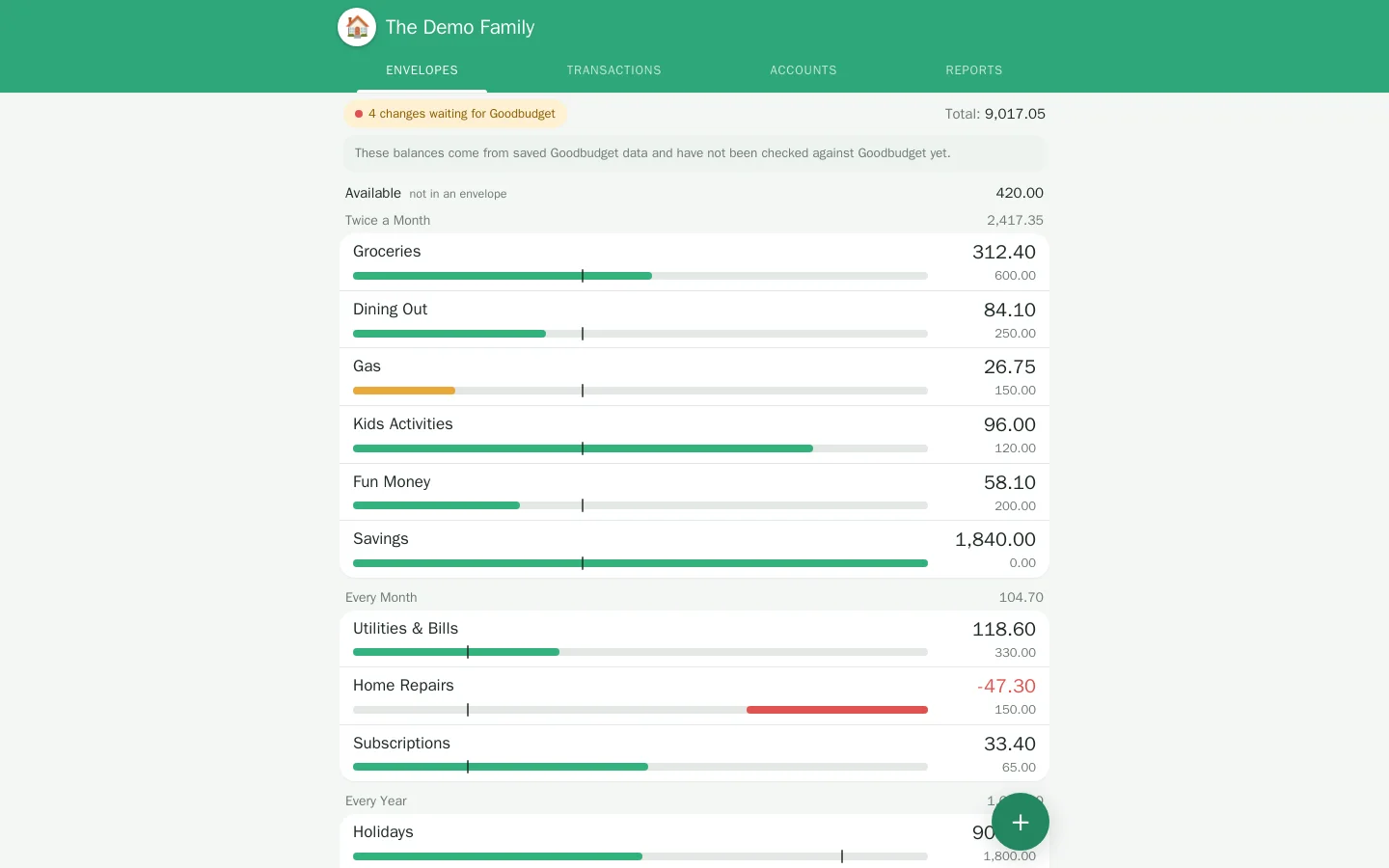
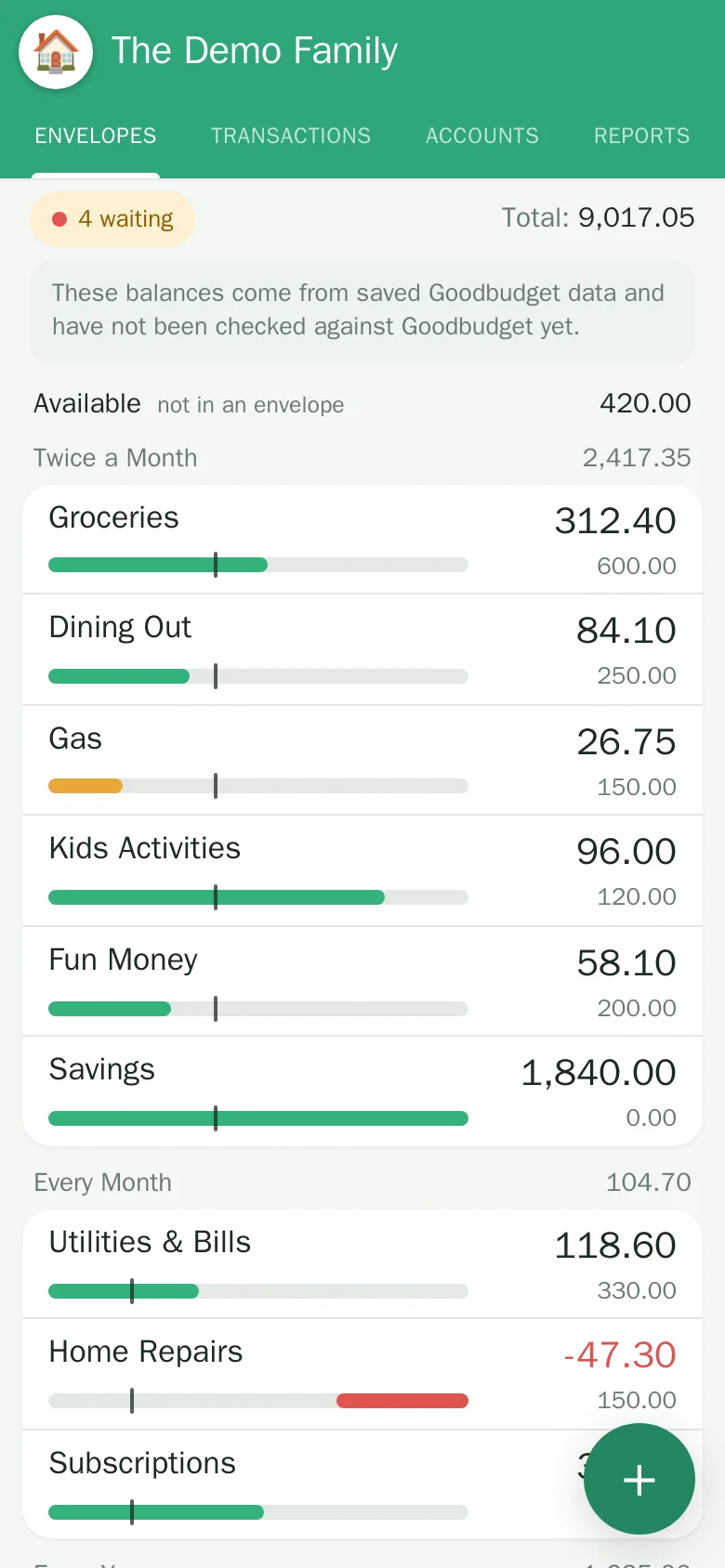
Track everyday spending, envelope by envelope
The Envelopes view is a fast, phone-friendly way to see what is left for groceries, dining, gas and the rest. New spending fills the right envelope automatically; you can still add an expense in seconds, fill envelopes when a paycheck lands, move money between them, and schedule the regular stuff.
- Groceries, Dining, Gas, Kids, goals like an emergency fund or a trip
- Changes are saved at once and journaled, with a “Waiting” screen that shows what still has to reach your budgeting service
- Budget vs bank check against your real accounts
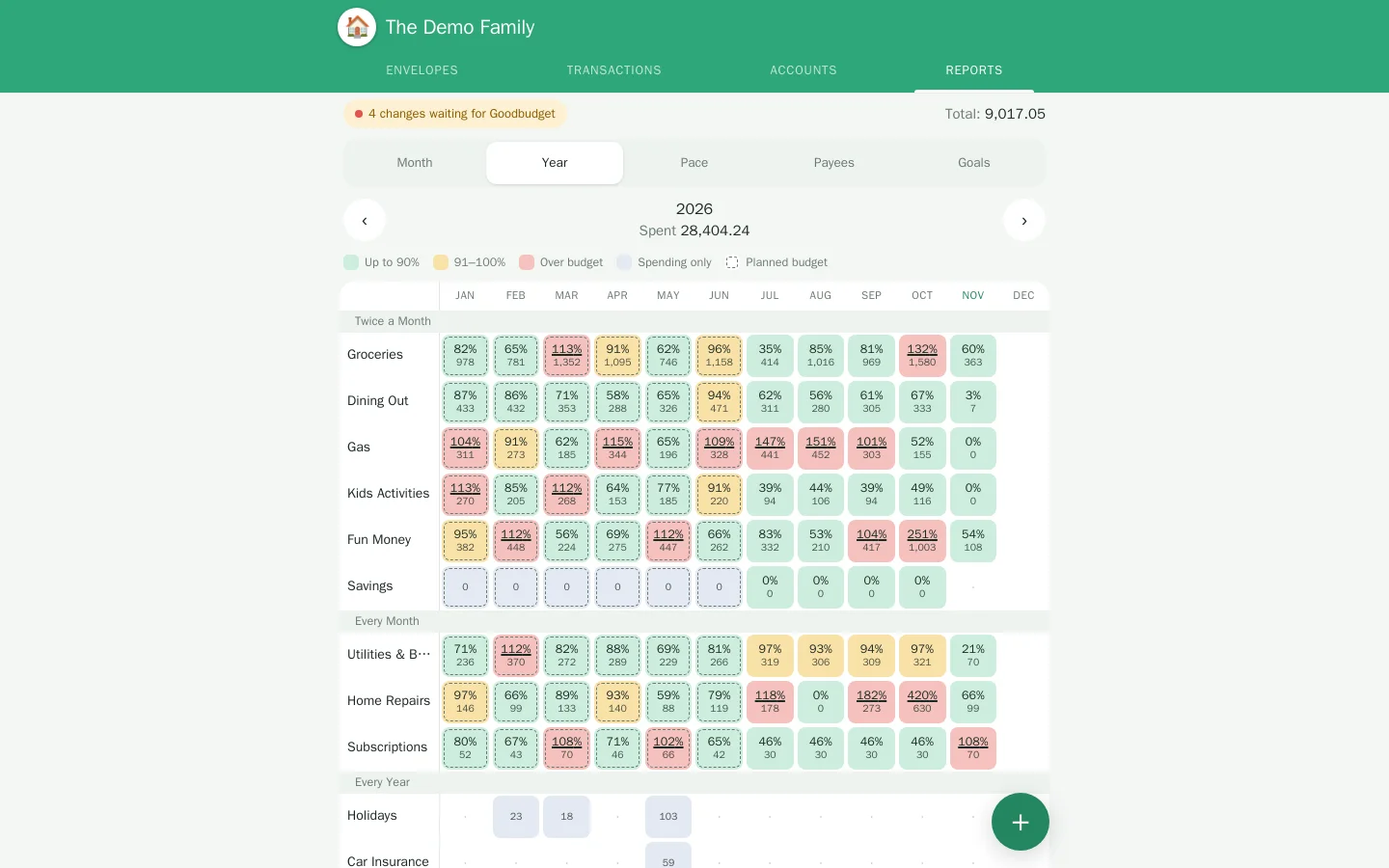
Know if you are on pace, before the month ends
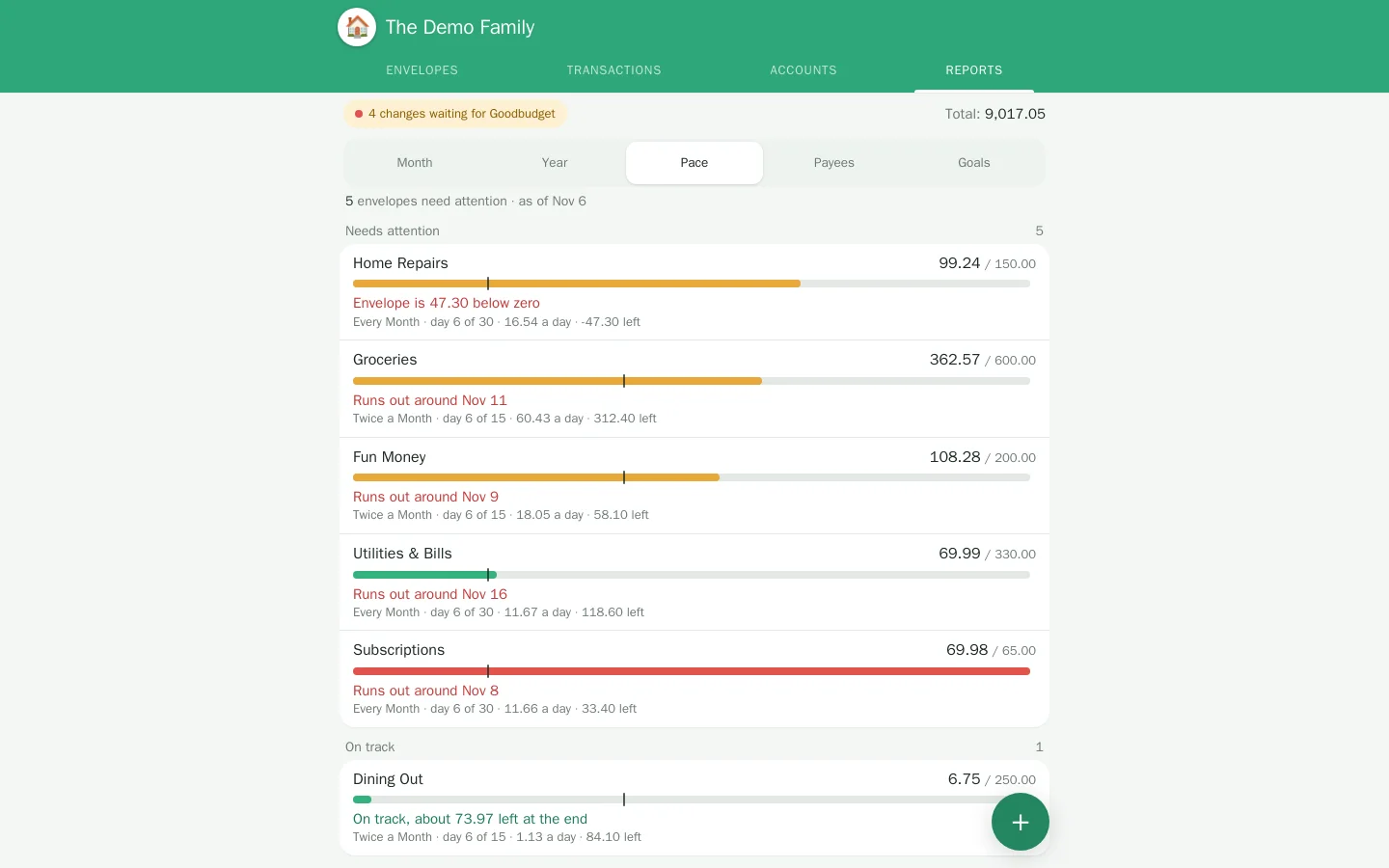
A year heat map shows every envelope against what you filled. Pace tells you which envelopes will run out and on what day. Goals shows how long until the savings targets are met.
It runs on your server. Your data stays yours.
PersonalFin is self-hosted: one small stack you run yourself, with the database on your own disk. There is no ad tracking and no third party analytics.
Your database
Accounts, balances and transactions live in a database you control and can back up or export at any time.
Bring your own bank link
Connect through a read-only aggregator you configure yourself. PersonalFin never asks for your bank password.
Household sign-in
Each person signs in on their own device, sees the same household, and keeps their own preferences.
Click around the real interface
The demo runs entirely in your browser on sample data. Add an expense, categorize a purchase, fill an envelope. Nothing leaves the page and nothing is saved.